
On-device AI
No audio leaves your machine.

Apple Silicon
Optimised for M1/ M2/M3/M4 chips.
Features


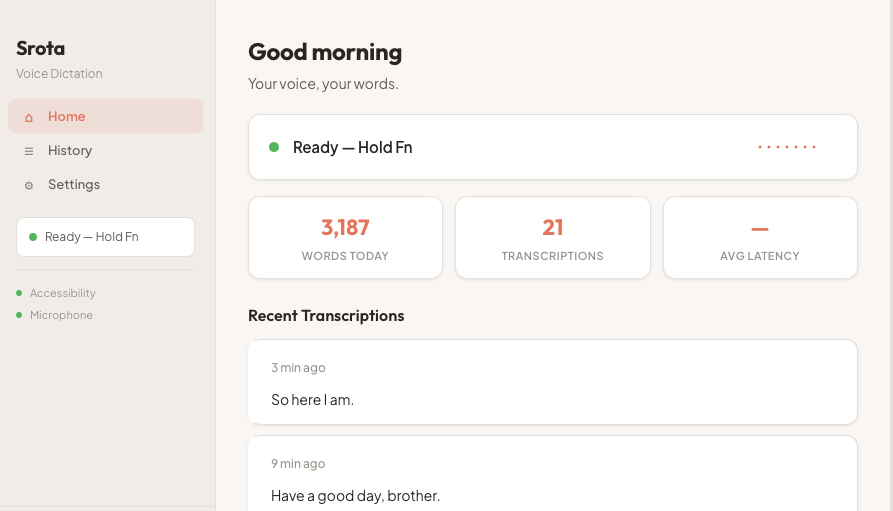
See what you've been saying.
How It Works
Click the menu bar icon
Find Srota in your Mac menu bar. Click to open the dropdown and confirm it's ready.
Hold fn and speak
Hold the fn key anywhere on your Mac and speak naturally. The waveform shows Srota is listening.
Release — text appears
Let go of fn. Your transcription is typed directly where your cursor is. No paste, no copy.
Works wherever
your cursor is.
No integrations. No plugins.
If you can type there, Srota works there.

“The only transcription tool that speaks your language — both of them”
// Srota typed:
Hinglish Mode (Roman script) — toggle from menu bar
Your microphone. Your machine. Your data.
No audio sent anywhere. Ever.
Your microphone stays on your machine.

No account needed.
Works fully offline.

No subscription.
One-time download. Free forever.
Ready to speak freely?
Download for MacRequires macOS 14+ · Apple Silicon only
Free · No account · No subscription
Questions, feedback, or just want to say hi?